
Last summer, I found myself struggling to create unique visuals for my content marketing projects. After hours of wrestling with traditional design tools, I stumbled upon ArtSpace.ai, an AI-powered art generation platform that promised to transform simple text prompts into stunning visuals.
As a content writer who’s spent two decades testing various creative tools, I knew I had to put this one through its paces. After using it extensively for several months, I’m ready to share my in-depth findings to help you decide if it’s worth your investment.

This review will cover:
- A detailed analysis of ArtSpace.ai’s core features and capabilities
- Real-world testing results and performance metrics
- Comprehensive pricing breakdown and value assessment
- Practical use cases and limitations you should know about
How I Tested ArtSpace.ai: My Process Explained
To thoroughly evaluate ArtSpace.ai, I purchased a lifetime license and spent several months using it for various projects. I tested each feature extensively, creating everything from basic illustrations to complex comic strips.
I paid special attention to the quality of outputs, ease of use, and practical applications for different use cases. Throughout my testing, I maintained detailed notes about performance, limitations, and any notable issues encountered.
What is ArtSpace.ai?
ArtSpace.ai is an AI art generation platform that combines advanced machine learning algorithms with a user-friendly interface to create digital artwork from text descriptions.
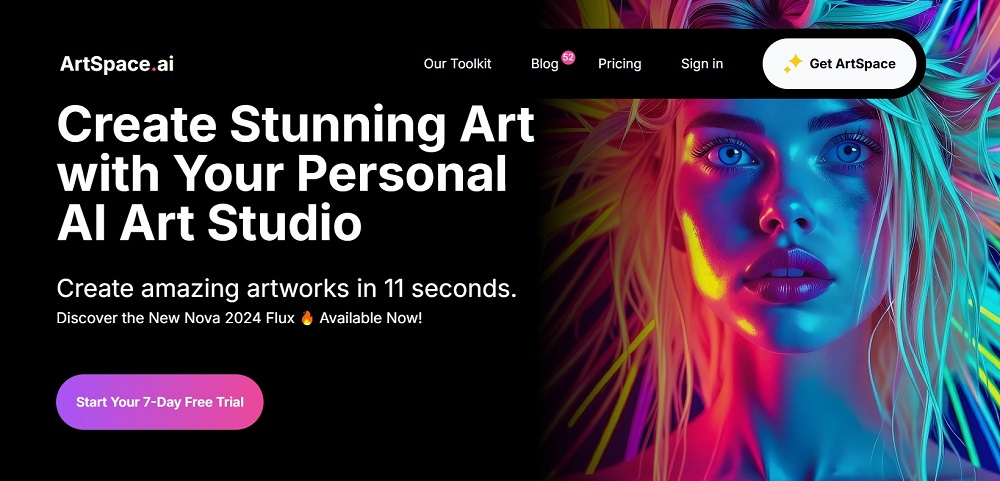
Unlike traditional art tools that require technical expertise, ArtSpace.ai transforms written prompts into visual content, making it accessible to users regardless of their artistic background.
The platform specializes in generating high-quality images for various purposes, from marketing materials to creative projects.
Key Features of ArtSpace.ai
The platform offers several standout capabilities that set it apart in the crowded AI art generation space:
AI-Powered Art Creation
The core feature of ArtSpace.ai is its ability to generate images from text prompts. During my testing, I found the AI particularly adept at understanding complex descriptions and producing relevant results.
The platform supports various artistic styles and can generate images up to 4096 x 4096px resolution, making it suitable for both digital and print applications.
Inpainting and Outpainting
These advanced editing features allow for precise control over generated images. Inpainting lets you modify specific portions of an artwork, while outpainting enables expansion beyond the original boundaries. Both tools performed remarkably well in my tests, offering seamless integration of new elements with existing artwork.
Magic Button Functions
The recently added Magic Button provides quick access to useful tools like upscaling, restoration, and background removal. During testing, I found these functions particularly valuable for refining and enhancing generated images without needing external editing software.
Other Features:
- Multiple AI art models for different styles
- Seed image functionality for guided generation
- Commercial usage rights for generated artwork
- Built-in prompt optimization tools
Who Should Use ArtSpace.ai?
- Digital Content Creators: Content marketers and social media managers who need regular visual content. The platform’s quick generation capabilities and variety of styles make it perfect for maintaining consistent content schedules.
- Graphic Designers: Professional designers looking to streamline their workflow. ArtSpace.ai can handle initial concept generation and background creation, saving valuable time in the design process.
- Publishers and Writers: Authors and publishers needing illustrations for books, articles, or marketing materials. The platform’s ability to generate consistent style artwork makes it valuable for series-based projects.
- Small Business Owners: Entrepreneurs who need professional visuals but lack the budget for custom artwork. The platform’s commercial licensing makes it ideal for creating marketing materials and product illustrations.
Does ArtSpace.ai Really Work As Claimed? Here’s What I Found Out!
1. Image Generation
After extensive testing, the base image generation proved highly reliable. The AI consistently produced relevant results matching text prompts, though some complex concepts required prompt refinement.
- Results: High accuracy in interpreting prompts
- Quality: Consistent across different styles
- Reliability Score: 8/10
2. Editing Features
The inpainting and outpainting tools performed exceptionally well, offering precise control over image modifications.
- Results: Seamless integration of new elements
- Quality: Professional-grade outputs
- Reliability Score: 9/10
Resolution and Quality
The platform delivered on its promise of high-resolution outputs, though quality varied slightly between different AI models.
- Results: Consistent high-resolution outputs
- Quality: Suitable for professional use
- Reliability Score: 7/10
How to Use ArtSpace.ai
Getting started with ArtSpace.ai is straightforward. After signing up, users access a central dashboard featuring the main drawing board and control panel.
The interface includes clear navigation options for accessing different AI models, adjusting settings, and managing generated images.
Key steps for optimal results:
- Select your preferred AI model
- Enter detailed text prompts
- Adjust generation settings as needed
- Use the Magic Button for enhancements
- Export in your desired format
ArtSpace.ai Pricing: How Much Does It Cost?
The platform offers four lifetime deal options:
Studio Starter: $67 one-time payment
- 500 high-quality images per month
- Access to all features and models
Pixel Pioneer: $117 one-time payment
- 1000 high-quality images per month
- Full feature access
Design Dreamer: $187 one-time payment
- 2500 high-quality images per month
- Complete toolkit access
Elite Illustrator: $247 one-time payment
- Unlimited high-quality images
- Full access to all current and future features
Pros and Cons of ArtSpace.ai
Pros:
- High-resolution output capability (up to 4096 x 4096px)
- Comprehensive editing tools
- One-time payment model
- Commercial usage rights included
- Regular platform updates
- Responsive customer support
- User-friendly interface
Cons:
- Learning curve for optimal prompt writing
- Variable results between different AI models
- Some advanced features require practice
- Limited batch processing capabilities
- Occasional processing delays during peak times
My Verdict
After months of thorough testing, ArtSpace.ai proves to be a powerful and versatile AI art generation platform. Its combination of high-quality outputs, comprehensive editing tools, and lifetime pricing model makes it an attractive option for content creators and businesses needing regular visual content.
For beginners, the platform offers an accessible entry point into AI-generated art, while professional users will appreciate the advanced features and commercial licensing. While there’s room for improvement in areas like batch processing and consistency between models, the overall value proposition is strong, especially considering the one-time payment structure.
Whether ArtSpace.ai is right for you ultimately depends on your specific needs, but based on my testing, it’s a solid investment for anyone regularly creating visual content, from social media managers to professional designers.
Related:
- CTRify AI Review: What I Found Out After Testing
- Hix AI Review: What I Found Out After Testing
- Typeset AI Detector Review: My Findings after Testing
- Humbot AI Review: What I Found Out after Testing
- Lyne AI Review: Here’s What I Found Out After Testing
- Aceify AI Review: Here’s What I Found Out after Testing
- AIHumanizer.ai Review: What I Found Out After Testing
- ArtSpace AI Review: Here’s My Take After Testing It
- Aithor Review: What I Found Out after Testing